WD Gold 10TB HDD
(WD101KRYZ)3.5-inch SATASATA IIIRead 260 MB/sWrite 260 MB/s10TB
HIGH

2021–2023
The Dell PowerEdge R350 (R350) is matched with WD Gold 10TB HDD, WD Gold 16TB Enterprise, WD Gold 2TB Enterprise, WD Gold 4TB Enterprise, WD Gold 8TB Enterprise, Samsung PM1643a 960GB. Compatible storage type: 3.5-inch SATA SATA III. Capacity guidance: up to 16TB. Before buying, confirm your exact model number, storage interface, physical size, and connector/keying. Listings are from eBay and Amazon and may change.
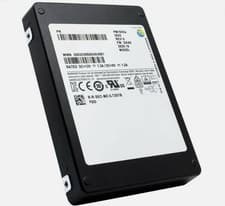
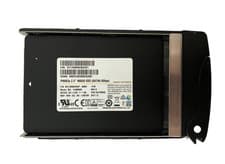
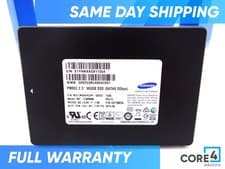
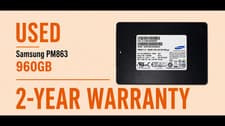
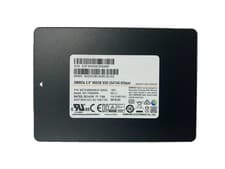
Samsung PM1643a 960GB7 listings
Listings and prices are pulled from eBay and Amazon and may change. Always verify compatibility — confirm your exact model number, storage interface, physical size, and connector/keying — before purchase. Last checked July 24, 2026.
This device uses a 3.5-inch SATA drive with a SATA III interface. Maximum supported capacity is 16TB.
This device supports SATA SSDs. While slower than NVMe, SATA SSDs are still a major improvement over traditional hard drives.
Always power off your device and disconnect power before replacing storage.
The Dell PowerEdge R350 (R350) is matched with WD Gold 10TB HDD, WD Gold 16TB Enterprise, WD Gold 2TB Enterprise, WD Gold 4TB Enterprise, WD Gold 8TB Enterprise, Samsung PM1643a 960GB. It supports 3.5-inch SATA SATA III. This device supports up to 16TB based on our records. Before buying, confirm your exact model number, storage interface, physical size, and connector/keying.
Verify your full model number against the device page, then confirm the physical form factor (3.5-inch SATA), interface (SATA III), and M.2 keying if applicable. Compare against your existing drive or manufacturer specs before purchase.
The Dell PowerEdge R350 (R350) is recorded with a SATA-class interface (3.5-inch SATA SATA III). NVMe drives typically require an NVMe-capable M.2 slot and matching keying — do not assume NVMe works if your model only supports SATA. Check your exact model and slot before buying.
Yes. M.2 drives vary by length (e.g. 2280) and keying (B-key, M-key, B+M). 2.5-inch and other form factors must match the bay or adapter your device accepts. The Dell PowerEdge R350 (R350) is documented as 3.5-inch SATA SATA III — a drive with the wrong size or key will not fit or work.
Listings and prices are pulled from eBay and Amazon and may change at any time. We refresh marketplace data regularly, but always verify the listing title, condition, and seller before purchase.